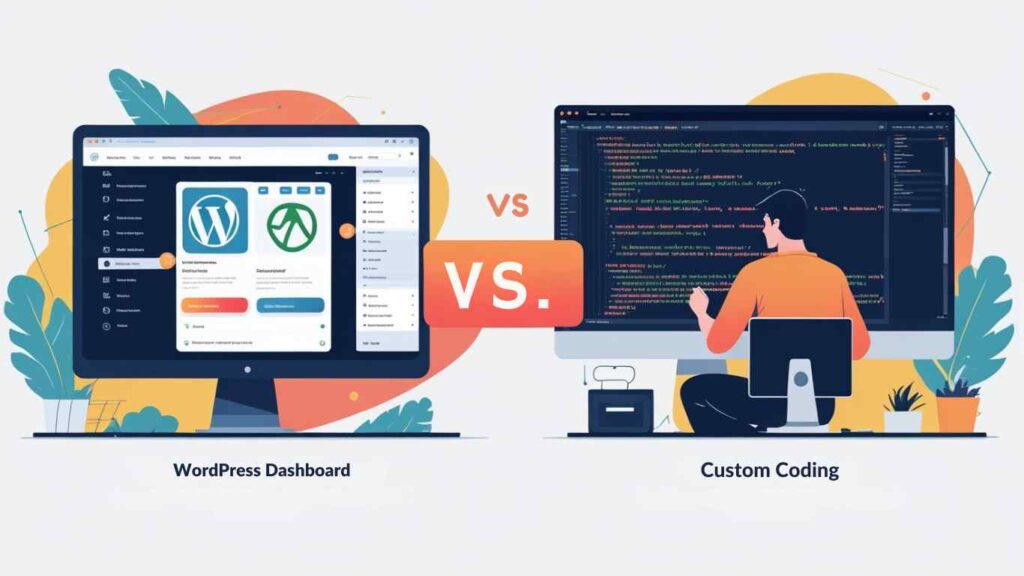
What is WordPress? WordPress is a free, open-source content management system (CMS) that powers nearly half the web. It offers thousands of pre-built themes and plugins so you can launch a website without coding. Most WordPress sites involve customizing themes and plugins rather than writing every line of code. As a result, WordPress is often cheaper and faster to deploy. According to one survey, WordPress sites can launch in 2–4 weeks for typical business needs, and cost from roughly $1,000 up to $15,000 depending on complexity. Hosting can start at $5–50/month. Even in India, a simple WordPress site with basic premium plugins may cost as low as ₹5,000. Local expert Vikram Chouhan of Udaipur notes, “WordPress is powerful when optimized properly… Clean themes, limited plugins, strong hosting… make WordPress a reliable business platform”. This reflects why WordPress is attractive for blogs, portfolios, marketing sites, and small e-commerce shops. It has a gentle learning curve for content management – even non-technical staff can update pages without a developer.
What is Custom Web Development? Custom web development means building your website from scratch using coding languages (HTML, CSS, JavaScript, PHP, etc.) or frameworks (like React, Next.js, Laravel) with no CMS constraints. Imagine designing and coding every element of your site exactly how you want it, like constructing a house brick by brick. This approach lets you implement any unique feature or design. However, it requires skilled developers and more time. A typical custom business site can take 3–6+ months to build and often costs upwards of $20,000. You’ll pay for planning, design, front-end and back-end coding, testing, etc.. Custom sites give total control: faster performance (less bloat), top-notch security (no off-the-shelf scripts), and complete scalability. But every change (even minor) usually means going back to a developer. Maintenance relies on the original team or documentation. In sum, custom development suits projects with unique requirements: complex web apps, SaaS products, or sites where branding and performance must be totally custom-tailored.
Cost and Development Time Comparison
Budget and timeline are often deal-breakers. Multiple industry sources highlight the gap between the two approaches:
Development Cost: WordPress projects generally have a much lower initial cost. As one analysis puts it, starting costs for WordPress can be “$1,000–$15,000” versus “$20,000+” for custom development. A basic WordPress site (small business or blog) might be done for a few thousand dollars (tens of thousands of rupees). In India, simple CMS websites are cited at ₹25,000–2,00,000, with minimal premium setups as low as ₹5,000. By contrast, custom projects typically run into tens of thousands of USD (or many lakhs of INR). (For example, building each custom feature might cost $2,000–$5,000 or more, and professional dev teams charge $75–$200/hr.) Remember that everything is custom-coded, so you’re essentially paying developers to create each module.
Development Time: WordPress sites can go live much faster. Leveraging themes and plugins, a medium site can often be launched in weeks instead of months. BetaSoft Technology cites typical timelines of 2–6 weeks for a WordPress build, versus 8–16 weeks or more for a custom site. Elegant Themes also estimates a WordPress site in 2–4 weeks vs. 12–24 weeks custom. This makes WordPress ideal if you have a tight deadline or want to test your site early. In practice, a local example: the Red Gram Spa (Udaipur) website was built on WordPress and launched in just 4–6 weeks.
Maintenance Costs: Ongoing upkeep tends to be cheaper with WordPress. According to Elegant Themes, monthly maintenance might run $50–$200 for WP vs. $500+ for custom code. WordPress sites mainly need updates to the core software, plugins, and themes, and security checks. These can often be handled by routine service packages or even an in-house staffer. A custom site requires a developer for any changes or fixes, so hourly rates apply for updates. (Think 10–20% of initial cost per year is a rough rule.)
Performance and Security
Performance (Speed): Custom code has an edge if done right. A hand-coded site can be lightning-fast because it’s lean, no unnecessary libraries or plugins. However, well-optimized WordPress can also perform very well. According to Hostinger, the average WordPress site loads in 2.5 seconds on desktop (about the industry average). On mobile, WP was slower (~13.3s) mainly due to unoptimized content. In practice, many WordPress sites use caching, CDNs, and performance plugins to hit sub-2-second loads. BetaSoft notes that performance typically favors custom builds but only if developers optimize it properly. In other words, a poorly coded custom site can be slower than a well-built WordPress site. In summary, custom code allows maximum speed control, but WordPress can be made fast with good hosting and care.
Search Engine Impact: Site speed matters for SEO. Google’s research shows that a 1-second delay can cut conversions by ~7%. Both platforms can achieve fast Core Web Vitals, but WordPress sites may require plugins like W3 Total Cache or autoptimize to clean up database bloat and unnecessary assets.
Security: WordPress is a popular target simply due to its market share. Hostinger reports an attack on WordPress every 32 minutes on average. Critically, 95% of reported WP vulnerabilities come from outdated or insecure plugins. To mitigate this, best practice is to keep WP core, themes, and plugins updated, use strong hosting security, and limit plugins to trustworthy ones. A specialized WordPress dev company (like ours) will harden login, use firewalls, and follow security guidelines. Custom-coded sites aren’t inherently invulnerable, but they have security by obscurity (fewer hackers know their structure). However, any flaw in custom code must be fixed case-by-case. In summary, both require diligence, regular updates and monitoring. Many businesses find that using established WP security plugins plus a maintenance plan provides adequate protection at lower cost.
SEO Considerations
Both WordPress and custom sites can be optimized for search engines, but their approaches differ:
WordPress SEO: Out of the box, WordPress is quite SEO-friendly. It offers clean, customizable URL structures (permalinks) and a template hierarchy that makes content accessible to search engines. There is an abundance of SEO plugins (Yoast, Rank Math, etc.) that guide beginners to optimize titles, meta descriptions, and content. Modern WordPress themes are also generally mobile-responsive and schema-ready. For local Udaipur businesses, built-in blogging makes creating content-driven pages easier. In practice, WordPress lowers the barrier to SEO by providing tools and a straightforward interface.
Custom Site SEO: A custom site gives you full control to code the perfect site for SEO. You can hand-craft semantic HTML, integrate advanced structured data, and fine-tune loading behavior (image lazy-loading, critical CSS) for optimal Core Web Vitals. However, this requires an SEO-savvy developer, and there’s more effort in setting up things like XML sitemaps or meta tags (unless you build them yourself). If done well, a custom site can outperform on technical SEO. BetaSoft points out that custom projects can include advanced techniques like multilingual support, custom redirects, and AMP pages – but these all require manual setup.
Which is easier? Most small businesses find WordPress easier to manage for SEO. As one Q&A puts it, WordPress is 'generally easier for ongoing SEO management' thanks to its plugins and content features. A custom site can match or exceed WordPress in search results, but only if the developer follows all best practices from the ground up. For a local Web Design Company in Udaipur, WordPress often allows quick SEO wins (local schema plugins, Google My Business integration, etc.) with minimal code work.
Pros and Cons
WordPress (Pros)
Speed to Market: Launch quickly (weeks) using templates. Great for businesses needing a fast online presence.
Cost-Effective: Lower upfront cost (often $1K–$5K for a decent site). Ideal for small budgets.
Ease of Updates: Non-technical staff can add content, images, or blog posts without a developer. Usable anywhere.
Plugin Ecosystem: Thousands of plugins extend functionality (forms, SEO, e-commerce via WooCommerce, etc.) with minimal coding.
Community & Support: Huge user community, plenty of documentation, forums, and agencies (including Udaipur Freelancer) specialized in WordPress.
SEO Tools: Built-in SEO-friendly structure, powerful plugins to help optimize content and metadata easily.
WordPress (Cons)
Plugin Dependency: Over-reliance on plugins can bloat the site and introduce security risks. Managing plugin compatibility can be a headache.
Limited Customization: Certain designs or functionalities may not be possible without heavy workarounds. You’re confined to what themes/plugins allow unless custom-coded.
Performance Overhead: Every plugin adds code, theme frameworks can be heavy. Requires optimization (caching, image compression) to stay fast, especially for media-rich sites.
Security Exposure: As the most popular CMS, it is more frequently attacked. Regular maintenance (updates, patches) is essential.
Ongoing Updates: Major WordPress version updates occasionally break plugins/themes. You need a maintenance plan to handle this.
Custom Code (Pros)
Total Flexibility: Can build any feature or design exactly as needed. No constraints from a CMS structure.
Optimized Performance: Lean codebase means faster load times if coded well. Developers can fine-tune every byte (for example, serving only necessary code and optimizing images).
Scalability: Architect the site to handle heavy traffic and complex growth (microservices, cloud hosting). Enterprise-grade sites often use custom architectures.
Security Control: Less exposure to mass vulnerabilities (though you still must code securely). Sensitive industries often require this level of control.
Unique Identity: Stand out from competitors with a fully custom look/feel and interactions (menus, animations) that off-the-shelf themes can’t provide.
Custom Code (Cons)
High Cost: Significant initial investment ($20K+). Only justified if advanced features are needed.
Longer Timeline: Typically many months of development and testing. Not suitable if you need a fast launch.
Maintenance Dependency: Any change or fix requires developer time (often at hourly rates). Even content updates might need custom coding or CMS integration.
Complexity: More moving parts (servers, libraries) means potentially more things that can go wrong. Bugs can be harder to trace without a support team.
Resource Requirements: Need skilled developers (often a team). For a business, this means either hiring in-house, contracting, or retaining an agency for updates.
Who Should Choose Which? (Decision Checklist)
mermaid
flowchart LR
    A[Assess Your Business Needs] --> B{What Matters Most?}
    B -- "Speed & Budget" --> C[WordPress (Quick & Affordable)]
    B -- "Unique Features & Scale" --> D[Custom Code (Tailored & Scalable)]
    C --> E{Type of Site?}
    E -- "Marketing/Blog" --> F[WordPress Ideal]
    E -- "Basic E-commerce" --> F
    E -- "Complex E-commerce/SaaS" --> D
    D --> G{Technical Requirements?}
    G -- "High Security/Custom Backend" --> H[Custom Needed]
    G -- "Enterprise Integration" --> H
    G -- "Simple Backend, but Custom Design" --> F
    F --> I[Launch on WordPress]
    H --> J[Develop Custom Site]
Choose WordPress if:
You need a marketing website or blog with frequent content updates.
Speed to deploy is important (e.g. a local shop opening soon).
You have a moderate budget (WordPress is cheaper for the features you need).
SEO and blogging are major goals (WordPress is built for content and has excellent SEO plugins).
You want self-service editing: your team should update the site without calling developers.
Choose Custom if:
You are building a web app or SaaS product needing complex backend logic.
Your site requires unique workflows or integrations (e.g. booking systems, customer portals, proprietary APIs).
You expect high traffic or performance demands (lots of media, users, or realtime data).
You need complete design control and branding, beyond what pre-made themes allow.
Security or compliance standards are strict (finance, healthcare, etc.), requiring fully custom safeguards.
(These guidelines come from industry comparisons and local expertise. Every business is unique, consider what will work best long-term.)
Migration Considerations
If you already have a site and are considering a change, note:
Migrating TO WordPress (from Custom or Other): You’ll need to export your content (blog posts, pages) and set up a WordPress theme. Many CMS have export tools compatible with WordPress. Ensure URLs stay the same or use 301 redirects so you don’t lose SEO rankings. Rebuild any special functionality using plugins or custom WordPress templates. Test all links and forms on the new site.
Migrating TO Custom (from WordPress or Other): First, document all features your current site has (forms, user accounts, etc.). Developers will need to recreate those in code. Export the database content from WordPress (via XML or MySQL) and import it into your new system. Pay attention to SEO, keep meta tags and generate a sitemap from the new site. Plan for some downtime or a staging period while the migration happens.
SEO/Data Safeguards: In either migration, use a checklist (back up old site, maintain analytics, set up redirects) to avoid traffic loss. It’s wise to involve an experienced developer or agency to handle these technical details.
Pricing Examples
To give ballpark figures (actual quotes will vary):
These examples align with industry reports that a custom build can cost many times more than a similar WordPress solution. Even so, the total cost depends on features: adding a blog, e-commerce, or multilingual support will raise the price on either platform.
There’s more to life than simply increasing its speed.
By Udaipur Freelancer
Key Differences at a Glance
Attribute
WordPress
Custom Code
Upfront Cost
Lower (from ~$1K)
Higher ($20K+)
Development Time
Fast (2–6 weeks)
Slow (3–6+ months)
Content Updates
Self-service (anyone can add pages/posts)
Developer-dependent (updates take coding)
Ease of Use
Excellent for non-tech users
Moderate, requires dev or admin help
Flexibility
Good (themes/plugins)
Unlimited (fully tailored)
Performance Control
Medium (cache & optimize)
High (hand-optimized)
Scalability
Good with optimization (caching, etc.)
Excellent (designed for growth)
Security
Regular plugin/patch updates needed
Depends on development quality, lower attack surface
SEO Management
Easier (built-in, plugins like Yoast)
Advanced (custom schema, coding)
Maintenance
Simpler (plugin & theme updates)
Complex (code fixes by developer)
Best For
Marketing sites, small business blogs, small-to-medium e-commerce
Web apps, SaaS, high-traffic sites, complex platforms
Source: Combined from industry analyses.
Case Studies and Examples
Red Gram Spa (Udaipur) – WordPress: A luxury spa wanted a tranquil, image-rich site. Using WordPress (with a custom theme and builder), a solo developer launched the site in 4–6 weeks. Key features like testimonials, gallery, and SEO-friendly structure were built using WP plugins (elementor, Yoast, etc.). The site meets the client’s budget and uses WP’s ease-of-use for content updates.
Hypothetical: Tech Startup SaaS – Custom: Imagine a startup needing a portal with custom login systems, APIs, and unique dashboards. The team opts for custom development (e.g. using Next.js and Node.js) to build exactly what they envision. It costs more (say $30K) and takes several months, but it can scale and add features (machine-learning analytics, etc.) that off-the-shelf platforms can’t easily provide.
Local Retail Business – WordPress vs Custom: A local Udaipur retailer needs to accept online bookings and run a content blog. A WordPress site with WooCommerce (or booking plugin) might suffice, launched quickly and affordably. Conversely, if they later needed a completely custom inventory management integration, they could migrate to a custom system. In this case, starting on WordPress may save money, with the option to rebuild custom later.
Enterprise Company – Mixed Approach: Large organizations sometimes combine both. For instance, a corporate website might use WordPress for marketing pages and a custom-built web app for user login/management. This best of both worlds ensures easy content updates and tailored functionality.
These examples illustrate decision factors, your business may have its own mix of needs. (All client and case details above are anonymized or illustrative.)
Migration Considerations
If you’re switching platforms, plan carefully:
SEO Migration: Always preserve your URL structure or set up redirects. Use 301 redirects if page URLs change, and carry over meta titles/descriptions. Test with Google Search Console after migration to catch issues.
Content Migration: Export/import tools help move text, images, and data. For example, WordPress has XML exporters, custom CMS might require a bespoke script to pull data.
Downtime: Ideally work on a staging site and then flip it live. Inform stakeholders of expected maintenance windows.
Costs of Switching: Migrating from WordPress to custom or vice versa will incur development costs (you’re essentially rebuilding the site). Factor this into your budget if a move becomes necessary.
Most businesses switch only when benefits outweigh the migration effort (e.g. requiring features not supported on current platform).
Conclusion and Next Steps
There’s no one-size-fits-all answer. WordPress excels for businesses that need a fast, cost-effective site with easy content updates – think blogs, small company sites, and moderate e-commerce. Custom code shines when you have specific performance, scalability, or feature requirements that pre-made systems can’t meet.
At Udaipur Freelancer, a Leading Web Design Company in Udaipur, we build both kinds of websites. We tailor our services to your needs and budget. For example, our WordPress Development page explains our WordPress offerings, and our Custom Web Development page outlines bespoke solutions.
When deciding, weigh your priorities: do you value speed and budget, or ultimate flexibility and scale? Use the above comparisons as a checklist. And remember – whichever path you choose, we ensure your site is mobile-friendly, fast, secure, and SEO-optimized.
Call to Action: Ready to start? Contact Udaipur Freelancer Today. Whether you need a stunning WordPress site or a fully custom platform, our team has the expertise. Explore our Services or Portfolio for examples, then get in touch for a free consultation. We’ll advise the right approach to meet your business goals and position you to rank higher in local search as the Best Web Design Company in Udaipur.
Udaipur Freelancer delivers high-quality web, marketing, and design solutions. We focus on building impactful digital experiences that help your brand succeed in today's market.













Recommended for you
Must-See Art Exhibitions Around the World This Year
The Revival of Classical Art in a Digital Age
Breaking Down the Elements of a Masterpiece Painting
The Revival of Classical Art in a Digital Age